Save on the device
Prototype
Prototype is the manager a new asset starts on. It has nothing to configure: it saves as soon as it is assigned.
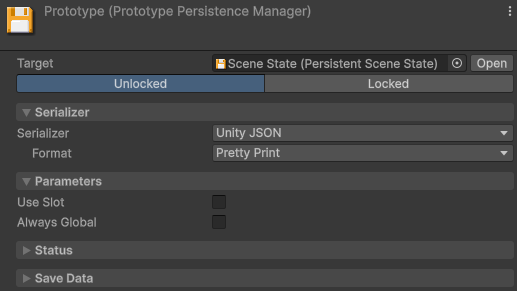
In the Editor, its saves live in the project's UserSettings folder, so a Play mode session
never overwrites the saves of a build installed on the same machine.
Prototype works in a shipped game as it is. Move to Local File once you need to choose the file name, the folder, compression or encryption. After release, that move offers to keep the saves players already have as an import copy. For more information, refer to Lock and migrate saves.
Local File
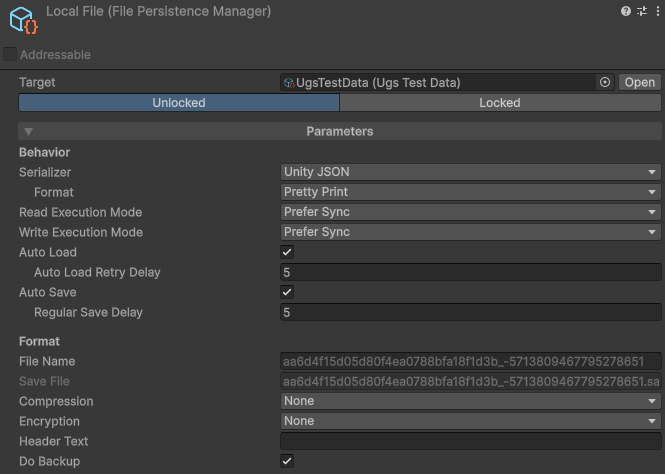
Local File saves to files on the player's device, under the name and in the folder you choose.
It writes each save to a temporary file and swaps it in, so a crash mid-write leaves either the complete old save or the complete new one, never half of one. With Do Backup on, it also keeps a permanent second copy, which it reads when the primary file won't decode.
Own the save folder
By default, saves go to Application.persistentDataPath in a build, and to the project's
UserSettings folder in the Editor.
To put them in a folder of your own instead, set Save Folder to an absolute path, which is created if it isn't there. The Editor uses it as well, so Play mode and an installed build then share the same files.
Save under each player's own folder
Start the field with a folder token, and the machine running replaces it with the folder its own user has.
| Token | Windows | macOS and Linux |
|---|---|---|
{Documents} | The user's Documents folder | ~/Documents |
{UserProfile} | C:\Users\name | ~ |
{AppData} | AppData\Roaming | ~/.config |
{LocalAppData} | AppData\Local | ~/.local/share |
Each token is whatever the operating system answers for it, so a player who moved their Documents elsewhere gets the folder they moved it to.
Player Prefs
Player Prefs writes small values to Unity's PlayerPrefs, with none of Local File's
protection or backup.
PlayerPrefs API reports no errors,
so a write that didn't survive stays silent and shows up later as a load finding no save, exactly like a
first run. Keep anything critical in Local File.Session (Memory)
Session (Memory) keeps everything in memory, and loses it when the game closes.
None
None turns persistence off, and the asset behaves like a regular one.
Test
Test touches no real save, and forces any operation to any Outcome after a Delay, so your game can be put through a failure that real storage rarely produces. For more information, refer to Simulate any save outcome.
Delete local data
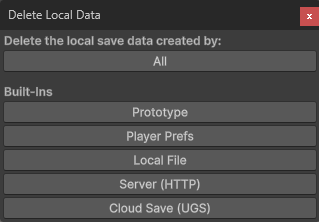
To empty the package's own save folders while you develop, go to Tools > Persistent Asset > Actions > Delete Local Data…. It leaves a manager that has its own Save Folder alone.
To run that deletion every time you leave Play mode, turn on Start every play session with no local data in the same window. The Editor remembers the setting on this machine, rather than in the project settings your team commits.
Clear().