Export a proof
Pick files and versions
To pick what the proof shows, perform the following steps:
- Go to Tools > CloneBuster > Exporter.
- In the tree, tick the files the copy takes from. Tick a folder to tick every file under it, or tick Assets for the whole project.
- Select a file to see its versions. Its first and latest versions are ticked; tick the ones you want to show, or select All. To set every ticked file at once, use All or First and latest in the export bar.
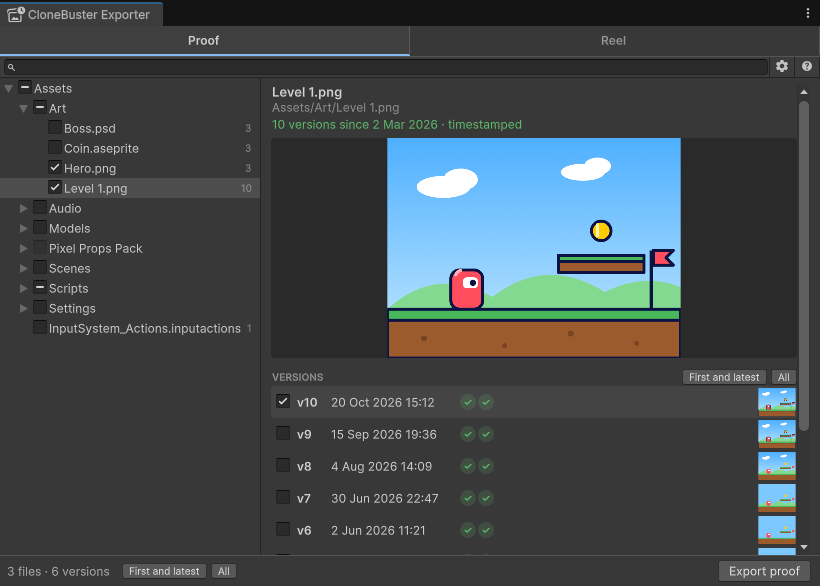
Each version shows two marks, its RFC 3161 timestamp and its Bitcoin proof: a check mark is confirmed, and an ellipsis is pending. Hover over a mark to see the authority and the time, or the Bitcoin block.
Only the ticked versions go into the export, so a notice never shows work you haven't released. Purchased files can't be ticked; a folder you tick skips them.
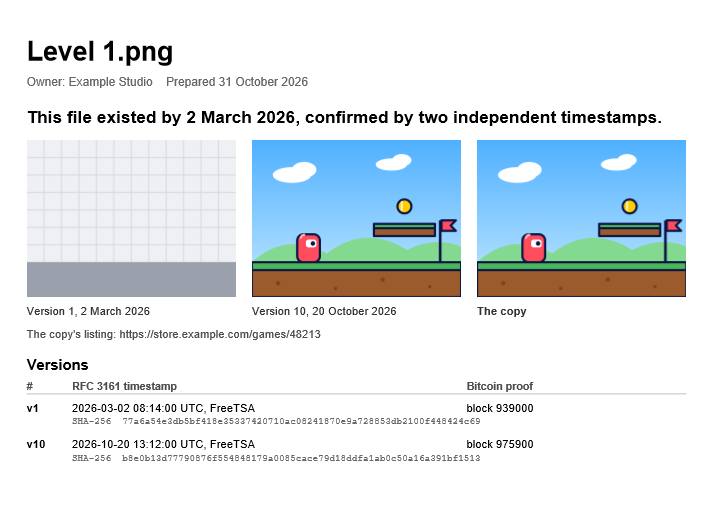
When you tick more than one file, Proof.pdf starts with a summary: how many files, and when they were
first timestamped. A file you tick on its own, rather than through its folder, also gets its own page with its
previews, and the summary lists it with that page's number. The other files are counted, not listed: their hashes are
in the timestamp files.
Proof.pdf and the notice text show the Owner name. While that is still DefaultCompany, Unity's placeholder, the
export options show a warning: select Settings in it to set your name.
Add the copy
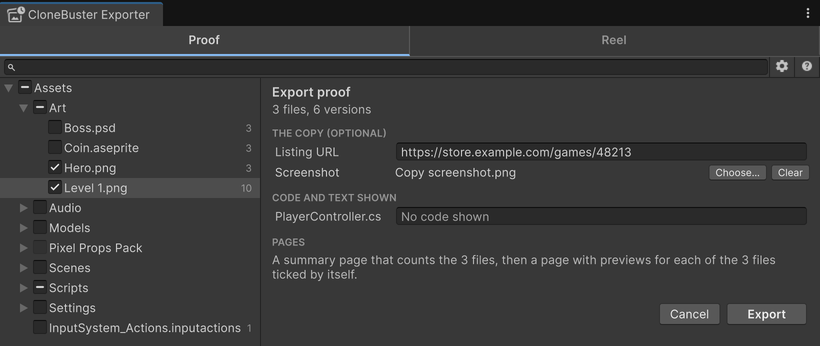
Select Export proof. Under The copy, you can add the following, both optional:
- Listing URL: the copy's store page. It goes into
Notice text.txtand, if you add a screenshot, under the images inProof.pdf. - Screenshot: an image of the copy.
Proof.pdfshows it beside your own versions.
Show lines of code
Proof.pdf shows no code or text by default: a code file appears with its name, its hashes, its dates
and its version count. To show an excerpt, enter a line range, such as 12-40, beside the file under
Code and text shown. The excerpt comes from the latest version, up to 45 lines.
Export
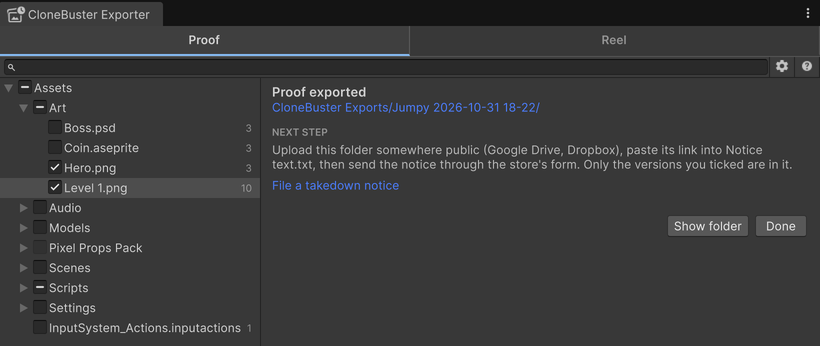
Select Export. CloneBuster writes the export folder and opens it. The result pane lists what the export left out, and the next step.
The next step is to upload the export folder somewhere public, such as Google Drive or Dropbox, paste its link
into Notice text.txt, then send the notice. For more information, refer to
File a takedown notice.
What the export folder holds
Each export is a new folder in CloneBuster Exports, named after the file, the folder or the project,
and the date. You share the whole folder with the store, which may forward it to the copier. It holds only the
versions you ticked, and it proves every date on its own.
| File | Contents |
|---|---|
Proof.pdf | For a store reviewer: the date your work existed by, your first and latest ticked versions beside the copy, and each ticked version's RFC 3161 time, Bitcoin block and SHA-256 hash. |
Notice text.txt | One paragraph to paste into the description field of a store's form. It names the Bitcoin proof only when every exported version holds one. |
Timestamps/How to verify.txt | Each version with its hashes, dates and the commands that check it. For more information, refer to Verify a proof without CloneBuster. |
Timestamps/Batches | The manifest of each batch the versions belong to, with its RFC 3161 timestamp and, once confirmed, its Bitcoin proof. A manifest holds hashes only, so it reveals nothing about the other files of the batch. |
Timestamps/Previews | The preview of each version, such as Key Art v4 preview.png. |
Originals aren't copied into the export: the previews and proofs date each version without them. If someone asks
for the exact file, the latest version is in your project and an older one is in your git history; its
hash in How to verify.txt identifies it.
Export again once Bitcoin confirms
You don't need to wait for the Bitcoin proof: the RFC 3161 timestamp dates each version on its own. The Bitcoin proof
usually takes a few hours. A version exported before then has only its RFC 3161 timestamp, and the
Exporter warns you when the export finishes. A version recorded offline has no RFC 3161 timestamp yet, so it's left out. CloneBuster completes both
in the background while the Editor is open; export again later to include them. Proof.pdf and the notice
text never mention a proof the export doesn't hold.